
Docs
Pixel Flow user manual and best practices
Find scanning, filtering, image details, library, export, account, and industry workflow guidance by task.
The download result is a ZIP package
If your download result is a ZIP package instead of a single image, it is usually not an error. Whenever the download includes multiple images, multiple sizes, an all-frame package, or source and rights clue records, Pixel Flow uses a ZIP package to save the files together and avoid triggering many separate browser downloads.
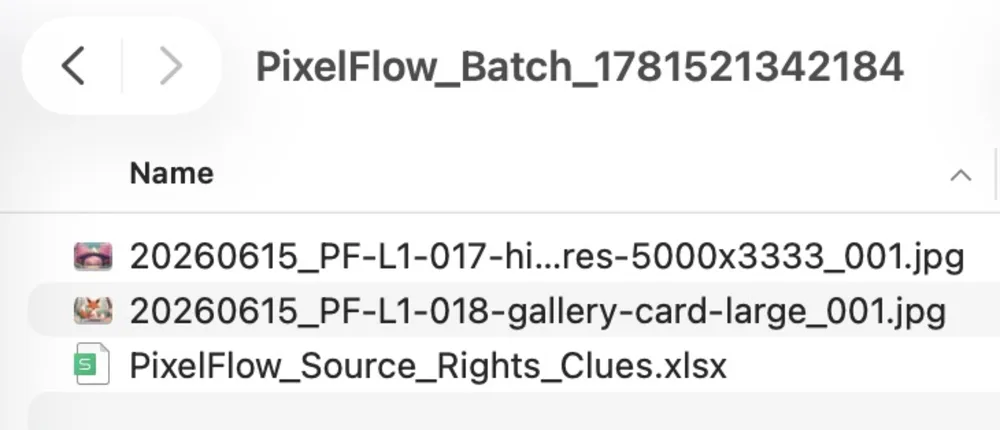
Which downloads become ZIP packages
| Your action | Download result | Why |
|---|---|---|
| One image, with “Image only” selected | Usually one image file | Only the image itself needs to be saved |
| One image, with “Image + Source and rights clue records” selected | ZIP package | The image and the clue sheet need to be saved together |
| One image, with “Image + Full information sheet” selected | ZIP package | The image and the full information sheet need to be saved together |
| Batch download from the capture feed or library | ZIP package | One task contains multiple images |
| Download multiple image sizes | ZIP package | Original and standard sizes are saved in one package |
| Download all frames from an animated image | ZIP package | Each frame is exported as a separate image file |
What is usually inside the ZIP
Depending on your download settings, the ZIP package may include:
- Image files.
PixelFlow_Source_Rights_Clues.xlsx, which records source page, image URL, site name, download time, and usage reminders.PixelFlow_Image_Info.xlsx, which records more complete image information, metadata clues, and management fields.- Multiple frame images exported from an animated image.
- Original and standard-size files from multi-size downloads.

How to download only one image
- Go to Account and Settings.
- Open Source and Rights Clue Records.
- If you have PRO access, choose Image only.
- Return to the image detail page and download the current image by itself.
If you are batch downloading, downloading multiple sizes, or downloading all frames, you may still receive a ZIP package even when “Image only” is selected, because those actions naturally contain multiple files.
How to check download history
After the download completes, you can open download history to see whether the task produced a single file or a ZIP package, and confirm which sub-files were included.
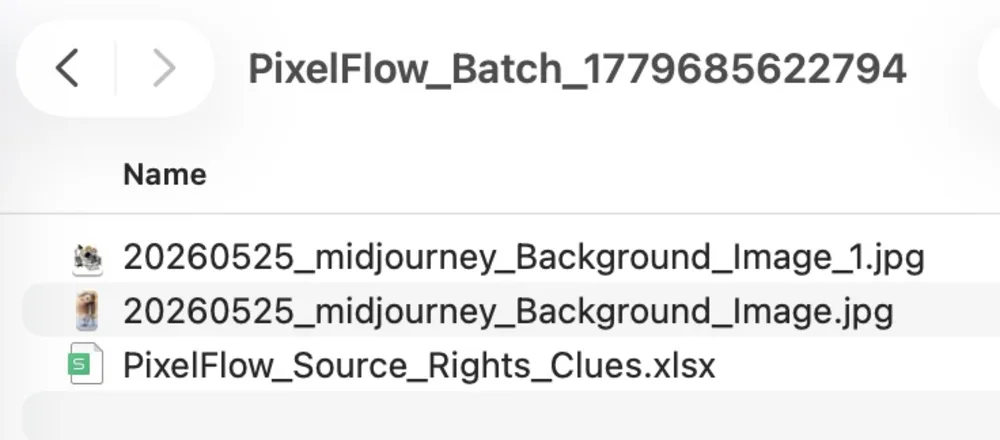
Notes
- ZIP is only a packaging format. It does not change image source or authorization status.
- Source and rights clue records are supporting review material, not a license grant.
- For team delivery, keep the ZIP package, download history, and source page information together.