
Docs
Pixel Flow user manual and best practices
Find scanning, filtering, image details, library, export, account, and industry workflow guidance by task.
Image Analysis Dictionary
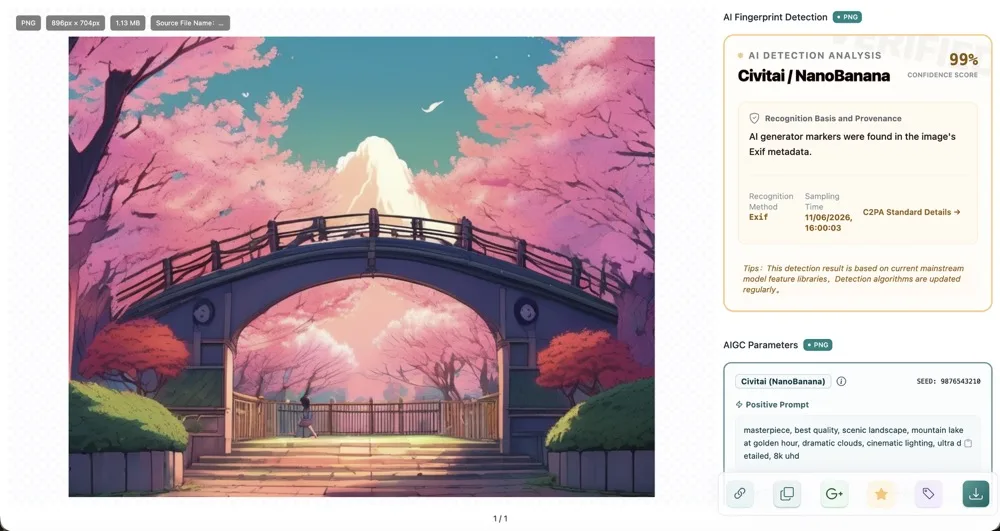
When image details show format, metadata fingerprints, camera parameters, color space, animation frames, vector structure, AI generation clues, source records, or similar information and you are not sure what they mean, this chapter gives you the key explanations. The dictionary explains what these signals mean, why they may be empty, and what boundaries to keep in mind when judging image source, quality, and usage fit. Sub-documents are split by image format and analysis result so you can quickly find the right explanation.
If you want to understand what a field, tag, or detection result means, stay in this chapter. If you want to learn how to open image details, download images, or organize assets, choose the relevant feature document from the left menu.
Start from the Question You Encountered
You do not need to read the dictionary from beginning to end. When you see a field, tag, or detection result in image details and are unsure what it means, find the matching entry by question type.
Different Formats Define What Data They Can Store
At the technical-specification level, each image format defines what data it can store:
- JPEG specifications support EXIF capture parameters and copyright fields.
- PNG can carry metadata through text chunks.
- WebP and AVIF container structures support both still images and animation.
- SVG is fundamentally a vector description language and can record paths, hierarchy, and editor metadata.
Pixel Flow extracts and displays the data that truly exists in these formats within what the browser can read. It does not invent fields that are not in the file.
If you already know the image is JPEG, PNG, WebP, AVIF, GIF, or SVG, continue with Supported Image Formats to learn what these formats usually show and which data may be empty.
| Image Format | What Data It May Include |
|---|---|
| JPEG / PNG | Photos, screenshots, transparent assets, camera parameters, color space, AI generation clues |
| WebP | Web-compressed images, alpha channel, still or animated images, encoding and conversion clues |
| AVIF | Next-generation web-compressed images, compatibility, color space, and animation clues |
| GIF | Animation frame count, total duration, average delay, color distribution |
| SVG | Vector graphics, icons, logos, path complexity, and accessibility information |
For HEIC, TIFF, BMP, and other image formats that are less widely used on web pages, Pixel Flow may currently show only limited basic information and may not provide full deep analysis results yet. If these formats are important to your workflow, email [email protected] and describe your use case.
Look Up by the Field or Result You See
If you already see a field or detection result in image details but are not sure what it means, start with Supported Image Formats to understand the relationship between format and visible fields. More specific explanations for camera parameters, color space, AI clues, animation frames, and vector structure will be added in later documents.
Why Some Information Is Empty
When you see an empty field, it is usually not an operation problem, and it is not necessarily a Pixel Flow parsing issue. Common reasons include:
- The image file never stored that type of information.
- The source website, social platform, chat app, or image service removed metadata during upload, compression, or delivery.
- The file you have is a thumbnail, screenshot, transcoded image, or re-exported image, not the original. These files often do not keep full metadata.
- The current format is naturally not suited to storing certain fields. For example, GIF and SVG usually do not have camera capture parameters.
Pixel Flow tries to read the signals that truly exist in the file, and it does not fill in data that the source file does not contain.
Use Analysis Results Carefully
When using analysis results, keep these boundaries in mind first:
- A source page is not proof of license.
- Metadata can be deleted or modified.
- No detected AI features does not mean the image was definitely human-created.
- Detected AI generation clues do not mean the image is definitely unusable.
For publishing, commercial use, client delivery, or dataset preparation, judge these results together with the original source, license documents, and human review.
Related Docs
If you are still not sure what a result means, continue with these documents: